How do I accept software updates for my Lincoln?
You can accept software updates by selecting Continue when prompted on your vehicle's screen. This will take you to the Software Update menu, where you can complete the acceptance process.
If either of the following icons appears on your vehicle's screen, you need to accept a software update.
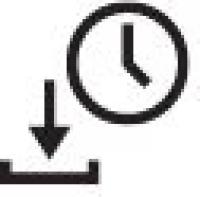 | Hay una actualización disponible pero hay que programarla. |
 | Hay una actualización disponible pero necesita tu permiso para continuar. |
Aceptar actualizaciones de software
Select your SYNC®* generation or Lincoln Digital Experience from the drop-down options below to learn how to accept software updates. If you need assistance determining the generation of your SYNC system, select the first drop-down option.
Identifying Your Vehicle's SYNC Generation
Select a resource in the table below to help you identify your vehicle's SYNC generation.
| Resource | Indicaciones |
| Página de SYNC y actualizaciones de navegación | Either:
Your SYNC generation will appear on the right side of the page under SYNC Current Version. |
| guía de referencia visual de SYNC | View example images of SYNC generations that Lincoln has offered. |
Experiencia digital de Lincoln
Opción 1
- Tap the Update Available icon in the status bar on your vehicle's Digital Experience screen.
- Select Update to accept the update.
Opción 2
- Tap on the App Drawer icon.
- Select Software updates.
- Press Update Details.
- Tap Update to accept the update
Important: If Automatic Updates and Notifications are Off, your vehicle will not receive any updates. This means your vehicle will not receive any new features or critical updates via software updates.
SYNC 4
Opción 1
- Press the Update Available icon in the status bar on your vehicle's SYNC screen.
- Elige Actualización disponible.
- Toca Actualizar para aceptar la actualización.
Opción 2
- Toca Configuración en la pantalla de SYNC de tu vehículo.
- Presiona Actualizaciones del sistema.
- Toca Detalles de actualizaciones.
- Toca Actualizar para aceptar la actualización.
Important: If Automatic Updates and Notifications are Off, your vehicle will not receive any updates. This means your vehicle will not receive any new features or critical updates via Software Updates.
Información adicional
¿Qué son las actualizaciones de software?
How do I change my SYNC 4 automatic updates?
*No conduzcas si estás distraído o usas dispositivos manuales. Usa sistemas operados por voz cuando sea posible. Algunas funciones pueden estar bloqueadas mientras el vehículo esté en cambio. No todas las características son compatibles con todos los teléfonos.