How do I access the climate controls in my Lincoln?
You can access your vehicle's climate controls using SYNC®* or Lincoln Digital Experience**, or physical controls. The available controls depend on your vehicle’s equipment.
Accessing Your Vehicle's Climate Controls
Select Lincoln Digital Experience or your SYNC generation from the following drop-down options to learn how to modify the heat and air conditioning temperature settings in your vehicle. If you need assistance identifying your SYNC generation, select the first drop-down option.
Identifying SYNC Generations and Lincoln Digital Experience
Select a resource in the table below to help you identify your vehicle's center screen.
| Recursos | Indicaciones |
| Página de SYNC y actualizaciones de navegación | Either:
Lincoln Digital Experience or your SYNC generation will appear near your vehicle image. |
| Visual Reference Guide | View example images of Lincoln Digital Experience and all SYNC generations that Lincoln has offered. |
Experiencia digital de Lincoln
To access climate controls in Lincoln Digital Experience:
Choose the Climate Controls icon on your vehicle's Digital Experience screen.

Select the Power button icon to turn climate controls on and off.

Note: You can control several climate options, including air conditioning, heated/cooled seats, and rear temperature control. For specific climate-control instructions, check your vehicle's Owner's Manual.
SYNC 4
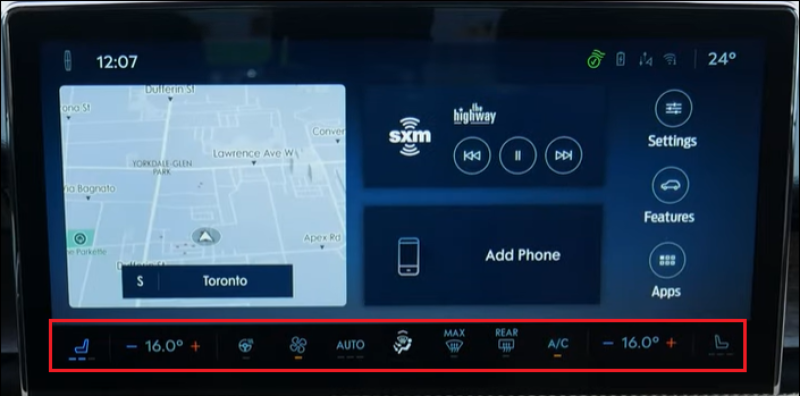
Select the climate controls along the bottom of the Home screen to change the cabin temperature in your SYNC 4-equipped vehicle.
SYNC 3
To access climate controls with SYNC 3, tap the Climate icon on your vehicle's SYNC screen.

Note: You can control several climate options, including air conditioning, heated/cooled seats, and rear temperature control. For specific climate-control instructions, check your vehicle's Owner's Manual.
SYNC con MyLincoln Touch™
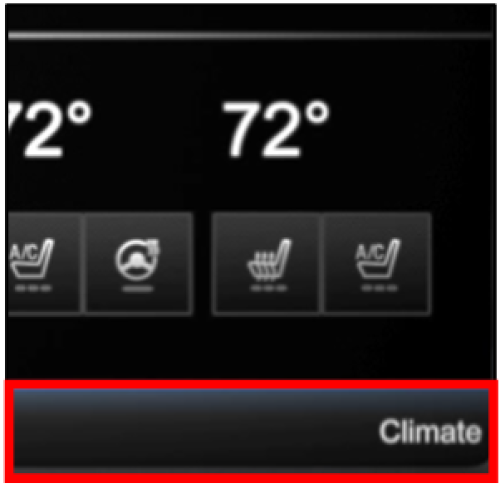
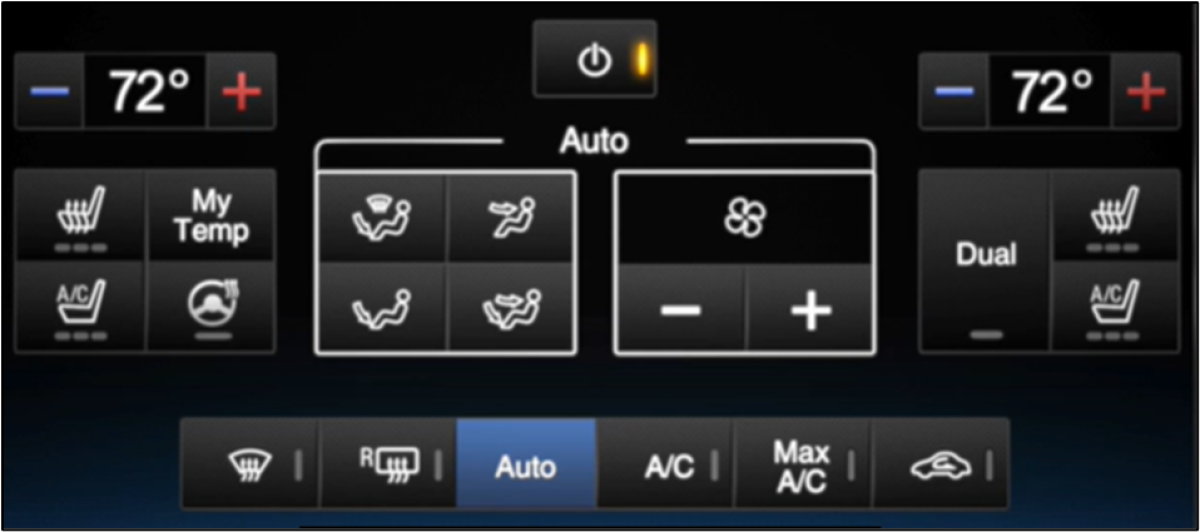
To access climate controls using SYNC with MyLincoln Touch, tap the Climate bar on the bottom of your vehicle's SYNC screen.
Note: You can control several climate options, including air conditioning, heated/cooled seats, and rear temperature control. For specific climate-control instructions, check your vehicle's Owner's Manual.
If additional information is needed, refer to your vehicle's Owner's Manual.
*No conduzcas si estás distraído o usas dispositivos manuales. Usa sistemas operados por voz cuando sea posible. Algunas funciones pueden estar bloqueadas mientras el vehículo esté en cambio. No todas las características son compatibles con todos los teléfonos.
**Some Lincoln Digital Experience features require a Connected Services plan. No conduzcas distraído o mientras tienes un dispositivo en la mano. Usa sistemas operados por voz cuando sea posible. Algunas funciones pueden estar bloqueadas mientras el vehículo esté en cambio. No todas las características son compatibles con todos los teléfonos.